Showing posts with label Toolkit Maya. Show all posts

Wednesday, 30 January 2013

Maya Tutorial - Chain

1. Swinging Chain.
The video, above, was created on Monday 28th January 2013, during an Autodesk Maya tutorial session.

Maya Tutorial - Pendulum

1. Swinging Pendulum.
The video, above, was created on Monday 28th January 2013, during an Autodesk Maya tutorial session.

Maya Tutorial - Toadstool

1. Jumping Toadstool.
The video, above, was created on Monday 28th January 2013, during an Autodesk Maya tutorial session.

Maya Tutorial - Bouncing Ball

1. Camera Angle #1.

2. Camera Angle #2.
The pair of videos, above, where created on Monday 28th January 2013, during an Autodesk Maya tutorial session.

Sunday, 13 January 2013

Maya Tutorial - Old Alley - UV Mapping & Object Placement

The screenshots below demonstrate the UV mapping process, following an online tutorial.

1. Projection Map

2. UV Projection

3. UV Map Layout

4. Final UV Map Layout

5. Crate Projection Map

6. Final Crate Projection Maps

The screenshots below demonstrate the process of importing different objects into the scene, following the instructions on the UV mapping tutorial.

1. Lamp Placement

2. Crate Import

3. Crate Placement

4. Crate Modification

5. Final Object Placement

Tuesday, 1 January 2013

Maya Tutorial - Old Alley - Modelling

The series of screenshots below demonstrates the final models produced from following an Autodesk Maya tutorial.

1. Old Alley
 
2. Lamp Post
 
3. Crate


Wednesday, 19 December 2012

Maya Tutorial - Texturing

The collection of images below are the results of following a pair of online Autodesk Maya tutorial videos, which teaches how to apply textures to 3D computer models.

1. Robot Texture - Default
 
2. Robot Texture - Ceramic
 
3. Robot Texture - Plastic
 
4. Robot Texture - Silver
 
5. Robot Texture - Chrome
 

6. Robot Texture - Gold
 
7. Robot Texture - Glass
 
8. Robot Texture - Glow
 
9. Robot Texture - Hidden Glow
 
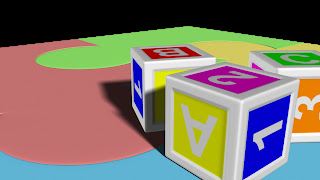
10. Blocks - UV Map - 01
 
11. Blocks - UV Map - 02
12. Blocks - UV Map - 03

Friday, 14 December 2012

Secret Lairs - Final Scene

The image below is the final concept art for the Solar Goddess' Secret Lair.

1. Concept Art
 
The image below is the final rendered image the Solar Goddess' Secret Lair, situated at the Sun's core.

2. Final Render Image
 

Digital Set Pipeline

The images below demonstrate the digital set pipeline progress utilised throughout the construction for the scene of the character's secret lair.

1. Wireframe
 
2. Untextured
 
3. UV Maps
 
4. Textured
 
5. Lighting Test 01
 
6. Lighting Test 02
 

Secret Lair - Texturing - Exterior

The collection of screenshots (below) visually depict the texturing process of the secret lair for the Solar Goddess, with representations of the other, less important, goddesses.

1. Sun Texture
 
2. Central Sphere and Ring Textures
 
3. Smoothed Textures
 
4. Improved Ring Textures
 
5. Final Textures
 
6. Inserting Sculptures
 

Secret Lair - Modelling - Sculptures

The series of images below demonstrates the modelling process used to created the series of sculptures that will feature in the character's lair.

1. Surrounding Sculpture
 
2. Surrounding Sculpture
 
3. Surrounding Sculpture
 
4. Central Sculpture
 
5. Central Sculpture
 
6. Central Sculpture
 

Secret Lair - Modelling - Exterior

The collection of images (below) are a series of screenshots clearly highlighting the development of the secret lair during the 3D modelling process.

1. Sun Exterior.
To create the spike effect of the model, I selected the individual vertexes of the sphere and dragged them away from the sphere, but this resulted in a bulging effect. As this was not the desired appearance, to overcome the effect I selected the faces of the bulges and used the cut faces tool before extending the points and rescaling the bases of the spikes.
 
2. Secret Lair.
Once the sun exterior was complete, I focused on the structure of the lair, which consists of a central glass sphere and several gigantic rings than spin round the lair.
 
3. Central Sphere.
Seeing as the default shader is utterly non-transparent, I placed a temporary Lambert shader on the central sphere, altering the transparency so that the interior would become visible.
 
4. Secret Lair.
 
5. Secret Lair.
Once the modelling of the lair exterior was completed, I setup a camera, ready for the final rendered of the image.